.svg)



When potential threats become real incidents, and teams are on the line to respond to them, it’s pivotal to make any training or incident readiness as specific to your business and environment as possible.
Enterprise teams looking to get started in exercising their teams in a time of need, the Immersive Crisis simulation catalogue gives teams the basics they need. It’s filled with scenarios written by our experts, kept current with the threat landscape and ready to run at any time.
While this helps teams start, making this type of exercising as tailored as possible when organizations need it is pivotal to building true internal resilience and readiness. Teams might add the regulator they report to, the supplier they depend on, or the near miss from last quarter that leadership still talks about. Or they might need a scenario for a situation nobody else has written yet. Until now, building custom scenarios required focus time and a commitment to editing or building by hand.
Starting today, the AI Crisis simulation builder is available to teams to help them build custom business exercising in minutes. Open the tool on a catalogue scenario and tailor it through conversation, or start fresh from a description or your own incident response playbook. Either way, it builds a complete branching scenario in front of you, and you keep talking to it until the exercise is right.
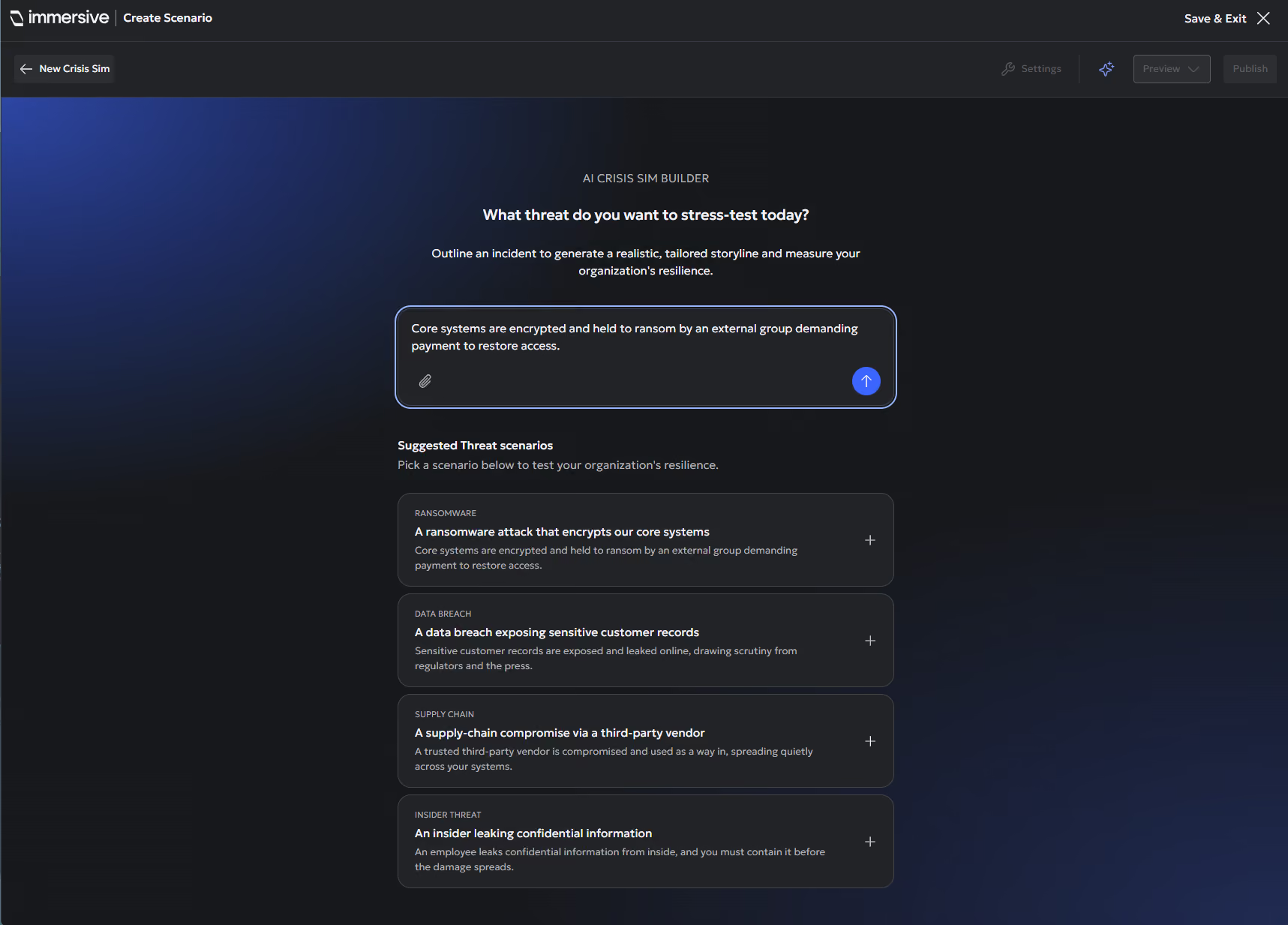
From one prompt to a full exercise
Start by describing what you want in your own words, the way you'd brief a colleague. The builder asks only what it still needs through a short setup form: your sector and region, who's in the room, how long you have, the regulations you operate under, and the tone. Then it builds the scenario on the canvas while you watch.
What comes back is a complete, ready to run exercise:
- Decision points with real dilemmas, where each choice changes where the story goes.
- A role for each seat at the table, so the CISO, General Counsel and Head of Comms and more each have a role to play in making decisions.
- Live pressure during each decision: emails, breaking news and social media posts landing as the clock runs. There are also instant messages from characters in the scenario, and participants can reply to them.
- Regulatory deadlines that apply to your sector, written into the story as clocks the room is already racing against.
- Supporting documents, performance indicators to measure the response, and a closing debrief.
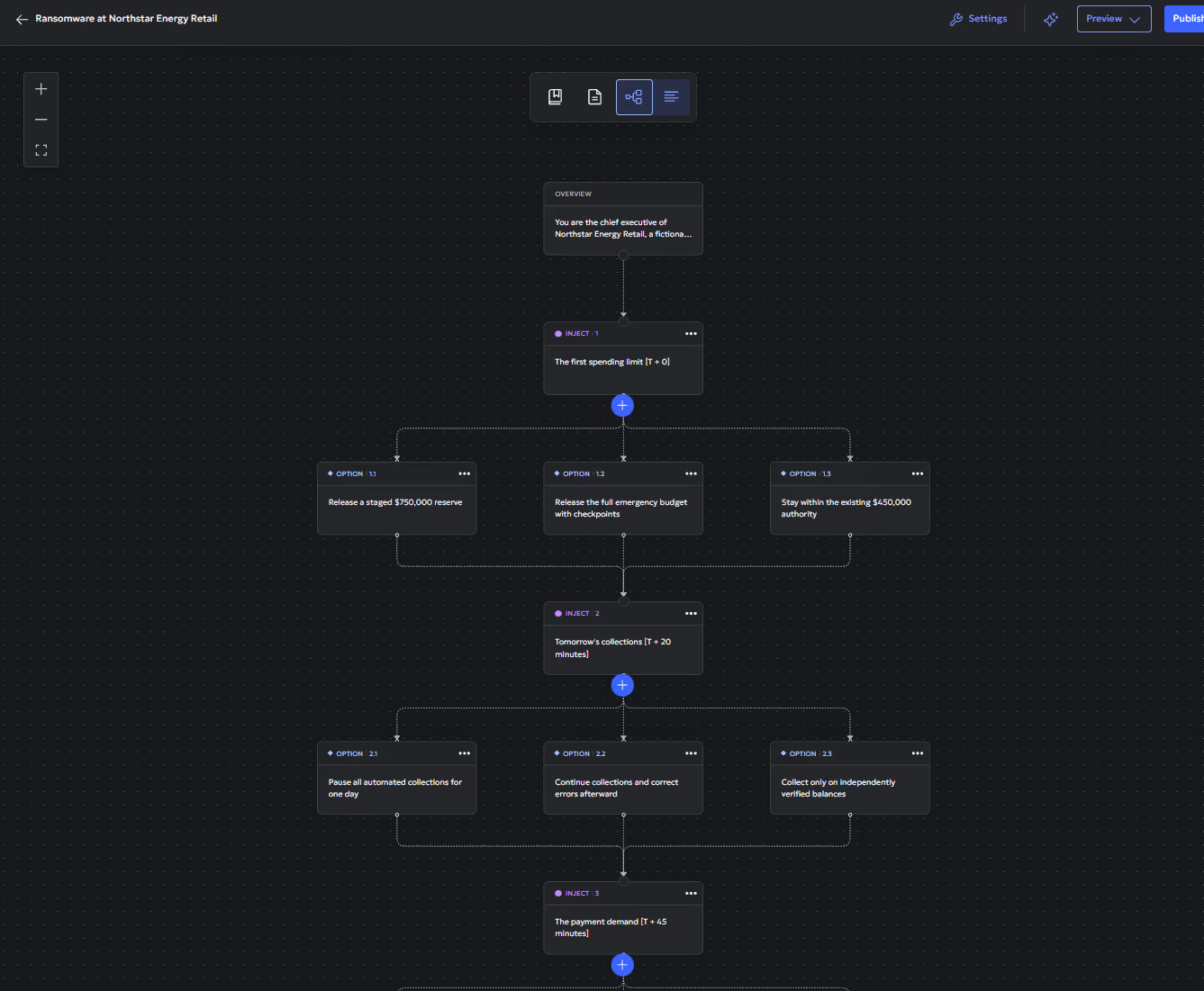
Custom built for your organization’s needs
The most realistic exercise is the one built from your own material. Upload your Incident Response (IR) playbook, a recent threat intelligence report or last year's post-incident review, and the builder uses them as the foundation. It works from your escalation paths, your terminology and the gaps you already know about, but also allows users to pull in current threat intelligence from the web to keep things recent. While browsing Threat Actor Insights in the Immersive platform, for example, one click builds an exercise around a specific threat actor.
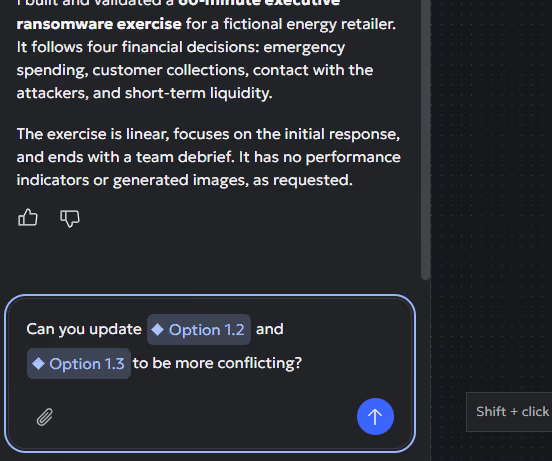
A first draft is rarely the final one, so the builder doesn't stop at the first draft. Keep the conversation going and it makes targeted changes, without starting over. You can tell the builder exactly what you’re looking for, and it will rebuild to your specifications:
- "Make inject four more technical for the SOC."
- "Swap the threat actor for one targeting our sector."
- "Compress this to fit a 45-minute slot."
- "Add a regulator angle from inject six onwards."
Every inject is numbered on the canvas, so you and the tool are always on the same page. The tool isn't limited to the moment you create something - you can use it on a scenario you built by hand, a previous exercise or one from the catalogue, and carry on shaping it for this year's run.
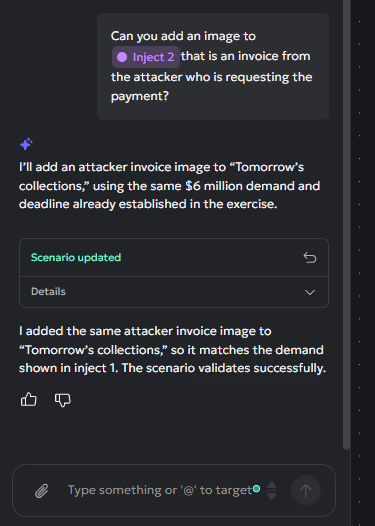
Stay in control of every change
You see everything the tool does. Changes appear live on the canvas as it works, and after each request it lists every item it created, updated or removed. If a change isn't what you wanted, revert it in one click. The tool also checks its own work for broken branches and dead ends before handing it back.
Nothing reaches your participants until you publish it. The AI can build and refine, but publishing an exercise is always a person's decision.
Why this matters for exercise owners
In reality, readiness is an evolution. Organizations change in the time between exercises – the threat picture shifts, regulations change, and the people in the room move on. A scenario written once a year starts drifting out of date the day it's published. The gap between what the team rehearsed and what it would actually face keeps growing until the next run.
The new builder lets exercise owners keep pace with that change. Updating a scenario now takes a conversation, so an exercise can evolve as often as the organization does, and each run tests the team against current conditions. Over time, resilience and security leaders build a record of how their crisis teams perform against today's risks. That gives them a clearer, evidence-backed answer when the board or a regulator asks whether the organization is ready.
Get started
Already working with Immersive? The AI Crisis Simulation builder is live now. Open Crisis simulation and select "Create with AI", or get in touch with your Immersive Account Team to find out more.
Exploring Immersive for the first time? Book a demo and see the AI Crisis simulation Builder build an exercise end-to-end.

See how to prove readiness with one platform.
See how Immersive One helps technical teams and leaders prove readiness, close capability gaps, benchmark progress, and report cyber resilience with confidence.